
Autorize Session Management
In this tutorial, you will learn how to automatically refresh authenticated sessions in the Autorize plugin.
Example Authentication Flow
We will use the https://dummyjson.com API to demonstrate the workflow. According to the https://dummyjson.com/docs/auth documentation, any user credentials returned from the /users endpoint can be used to authenticate with the /auth/login endpoint. By including the expiresInMins parameter, we can simulate a short-lived JWT.
POST /auth/login HTTP/1.1
Host: dummyjson.com
Content-Type: application/json
Content-Length: 63

{"username":"emilys","password":"emilyspass","expiresInMins":3}
In the response to this request, an accessToken and refreshToken are returned.
Until the accessToken expires, it can be used to access sensitive user data from the /auth/me endpoint:
GET /auth/me HTTP/1.1
Host: dummyjson.com
Connection: close
Authorization: Bearer eyJhbGciOiJIUzI1NiIsInR5cCI6IkpXVCJ9.eyJpZCI6MSwidXNlcm5hbWUiOiJlbWlseXMiLCJlbWFpbCI6ImVtaWx5LmpvaG5zb25AeC5kdW1teWpzb24uY29tIiwiZmlyc3ROYW1lIjoiRW1pbHkiLCJsYXN0TmFtZSI6IkpvaG5zb24iLCJnZW5kZXIiOiJmZW1hbGUiLCJpbWFnZSI6Imh0dHBzOi8vZHVtbXlqc29uLmNvbS9pY29uL2VtaWx5cy8xMjgiLCJpYXQiOjE3Nzk2NDM0MDEsImV4cCI6MTc3OTY0MzQ2MX0.t-mV4fcqjvQmRu-I2is_iWV7_1MoJ2h8eVmCQMNhlnk
Once three minutes have passed, a 401 Unauthorized response is returned instead of user data with a body notifying the accessToken has expired:
{
    "message": "Token Expired!"
}
With the refreshToken that was returned in the initial login response, a new valid accessToken can be obtained from the response to a POST request to the /auth/refresh endpoint:
POST /auth/refresh HTTP/1.1
Host: dummyjson.com
Content-Type: application/json
Content-Length: 397

{"refreshToken":"eyJhbGciOiJIUzI1NiIsInR5cCI6IkpXVCJ9.eyJpZCI6MSwidXNlcm5hbWUiOiJlbWlseXMiLCJlbWFpbCI6ImVtaWx5LmpvaG5zb25AeC5kdW1teWpzb24uY29tIiwiZmlyc3ROYW1lIjoiRW1pbHkiLCJsYXN0TmFtZSI6IkpvaG5zb24iLCJnZW5kZXIiOiJmZW1hbGUiLCJpbWFnZSI6Imh0dHBzOi8vZHVtbXlqc29uLmNvbS9pY29uL2VtaWx5cy8xMjgiLCJpYXQiOjE3Nzk2NDA4OTIsImV4cCI6MTc4MjIzMjg5Mn0.kmaBxCM5Sq1ybQFZcspzf1HnJBPpZ9maMwOUjxreoYI","expiresInMins":3}
Configuration
To begin, send the initial login request via Replay:
POST /auth/login HTTP/1.1
Host: dummyjson.com
Content-Type: application/json
Content-Length: 63

{"username":"emilys","password":"emilyspass","expiresInMins":3}
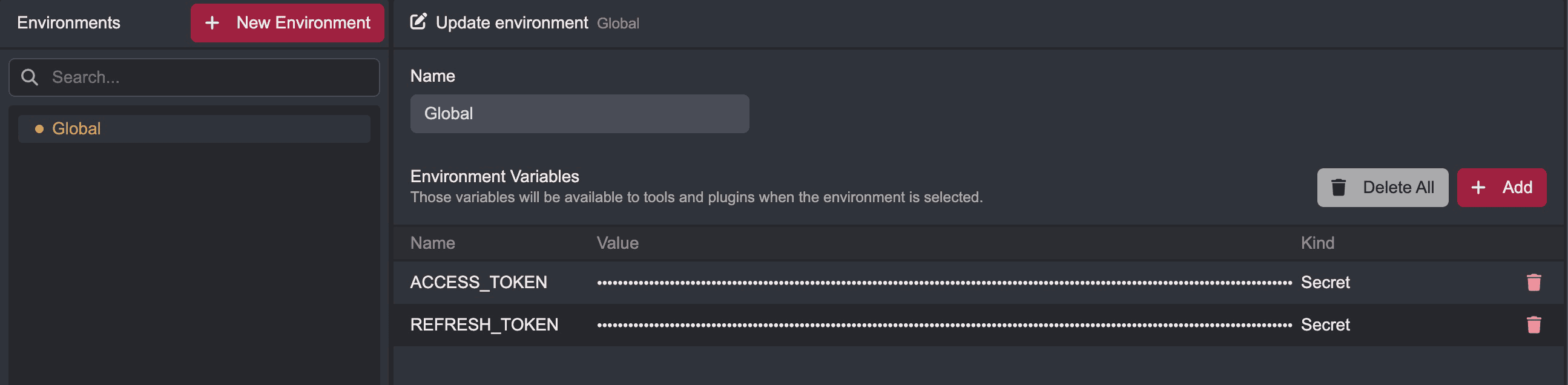
Create environment variables named ACCESS_TOKEN and REFRESH_TOKEN and set their values to the accessToken and refreshToken JWTs that are returned in the response to this request respectively.
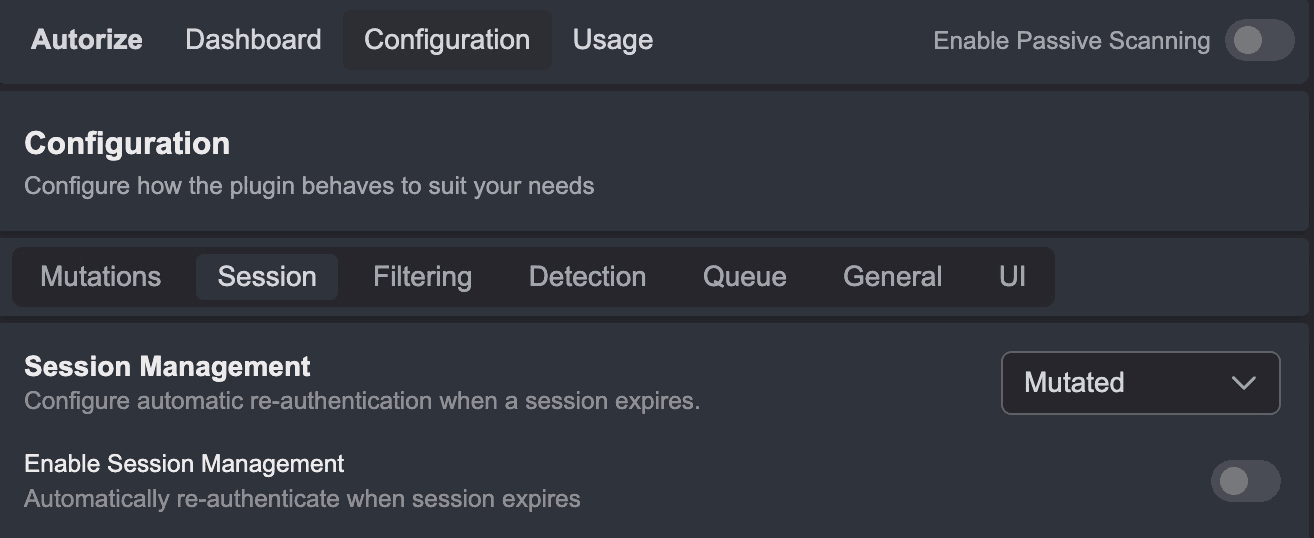
Next, click on the Configuration tab of the Autorize plugin interface and select the Session tab.
If this is the first time you are accessing this interface, click on the sliding radio button of the Enable Session Management feature.
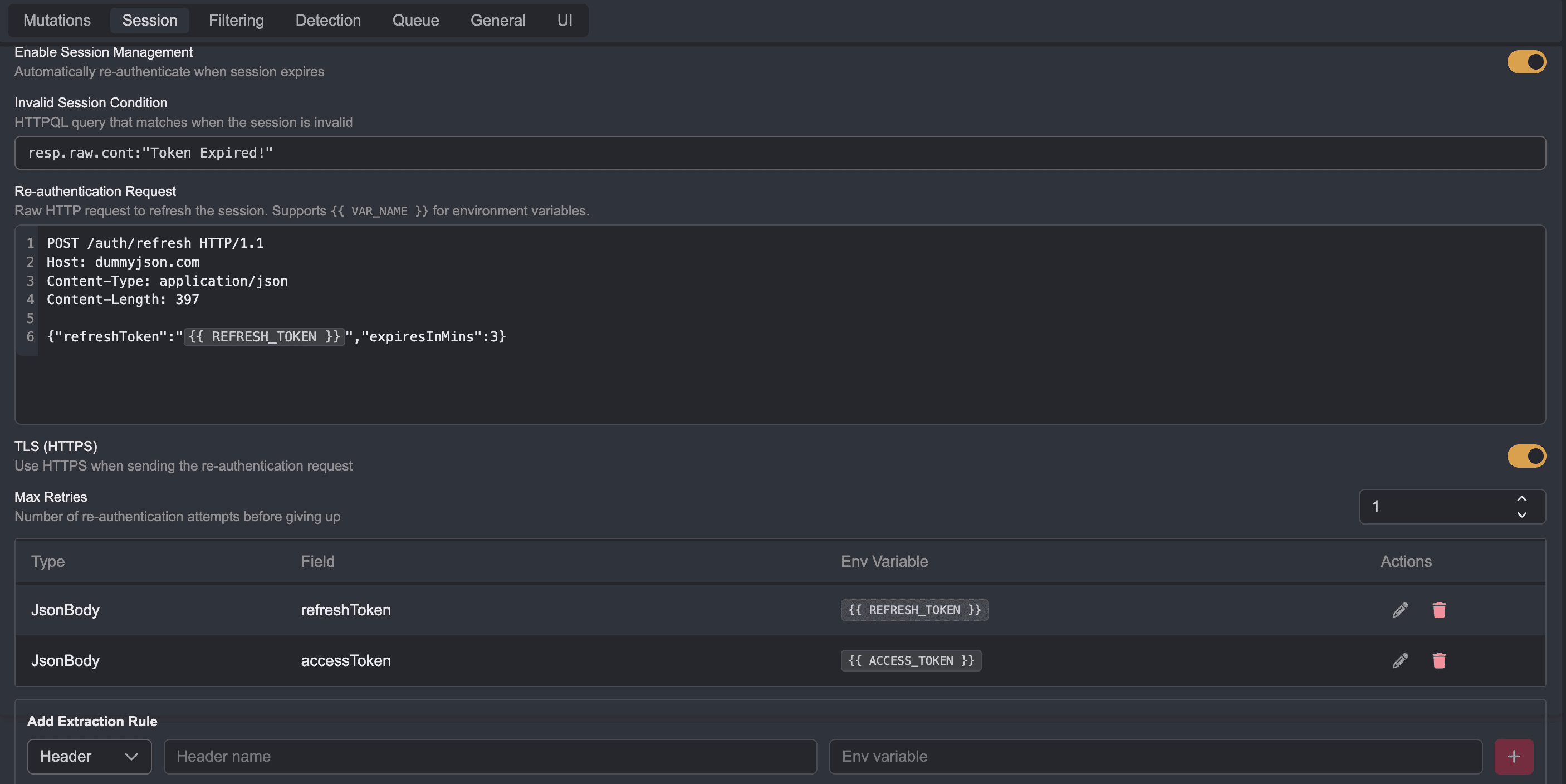
In the Invalid Session Condition input field, enter the following HTTPQL query statement to specify the condition for when a session is considered invalid:
resp.raw.cont:"Token Expired!"In the Re-authentication Request input field, enter the request to the /auth/refresh endpoint that exchanges the refreshToken for a new accessToken. Using double curly braces syntax, you can set placeholders for environment variables:
POST /auth/refresh HTTP/1.1
Host: dummyjson.com
Content-Type: application/json
Content-Length: 397

{"refreshToken":"{{ REFRESH_TOKEN }}","expiresInMins":3}
To update the environment variables, set the following as rules in the Extraction Rule section:
| Type | Field | Env Variable |
|---|---|---|
| JsonBody | refreshToken | REFRESH_TOKEN |
| JsonBody | accessToken | ACCESS_TOKEN |
Next, click on the Mutations tab of the Autorize plugin interface. Set the following mutation in the Add Mutation section:
| Type | Header Name |
|---|---|
| Header: Set | Authorization |
For the value, use double curly braces syntax to reference the ACCESS_TOKEN environment variable:
Bearer {{ ACCESS_TOKEN }}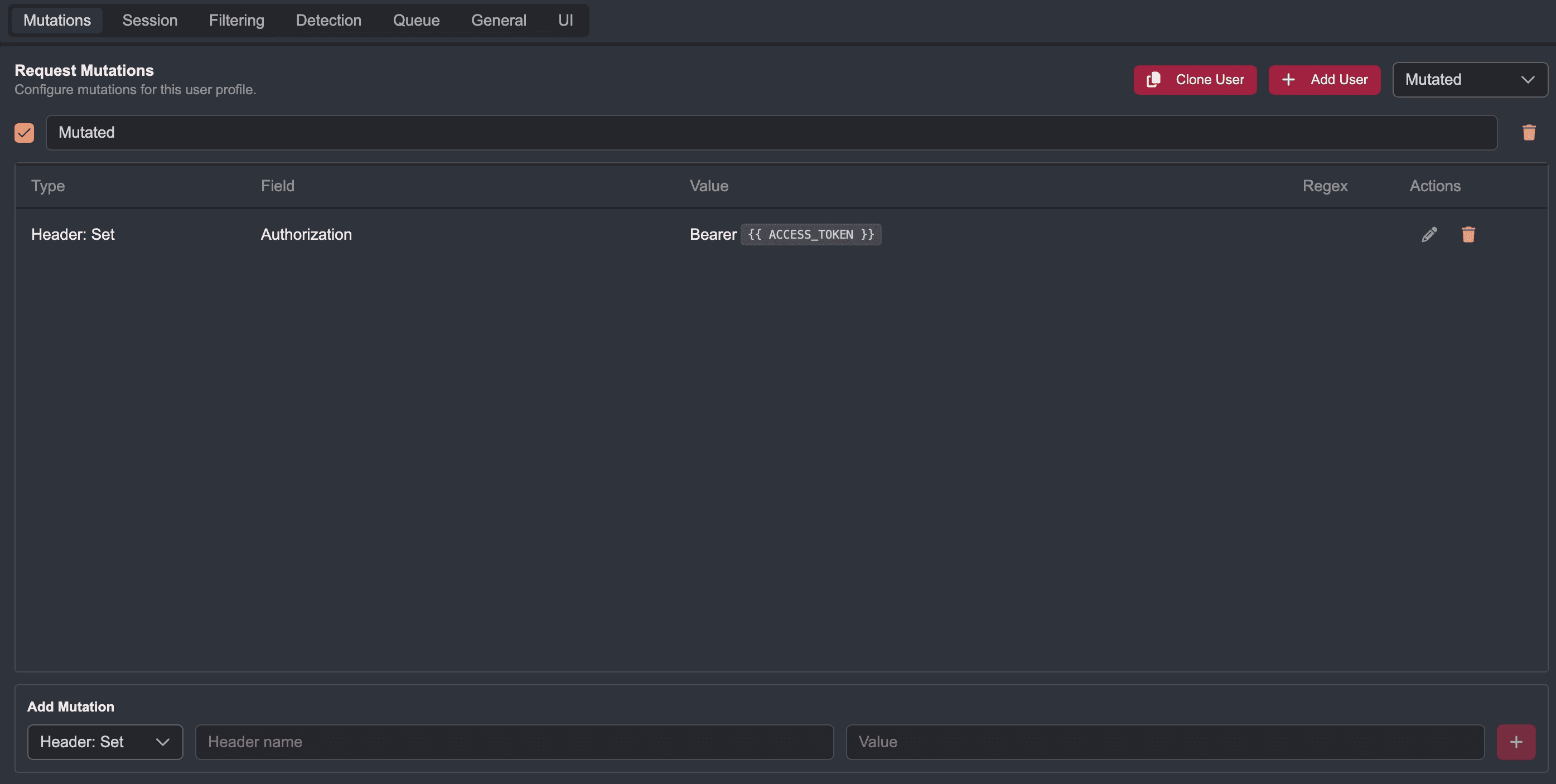
The Result
In Replay, send the following request to Autorize as a template by right-clicking on the request pane and selecting Plugins, Autorize, and Send Request to Autorize:
GET /auth/me HTTP/1.1
Host: dummyjson.com
Connection: close
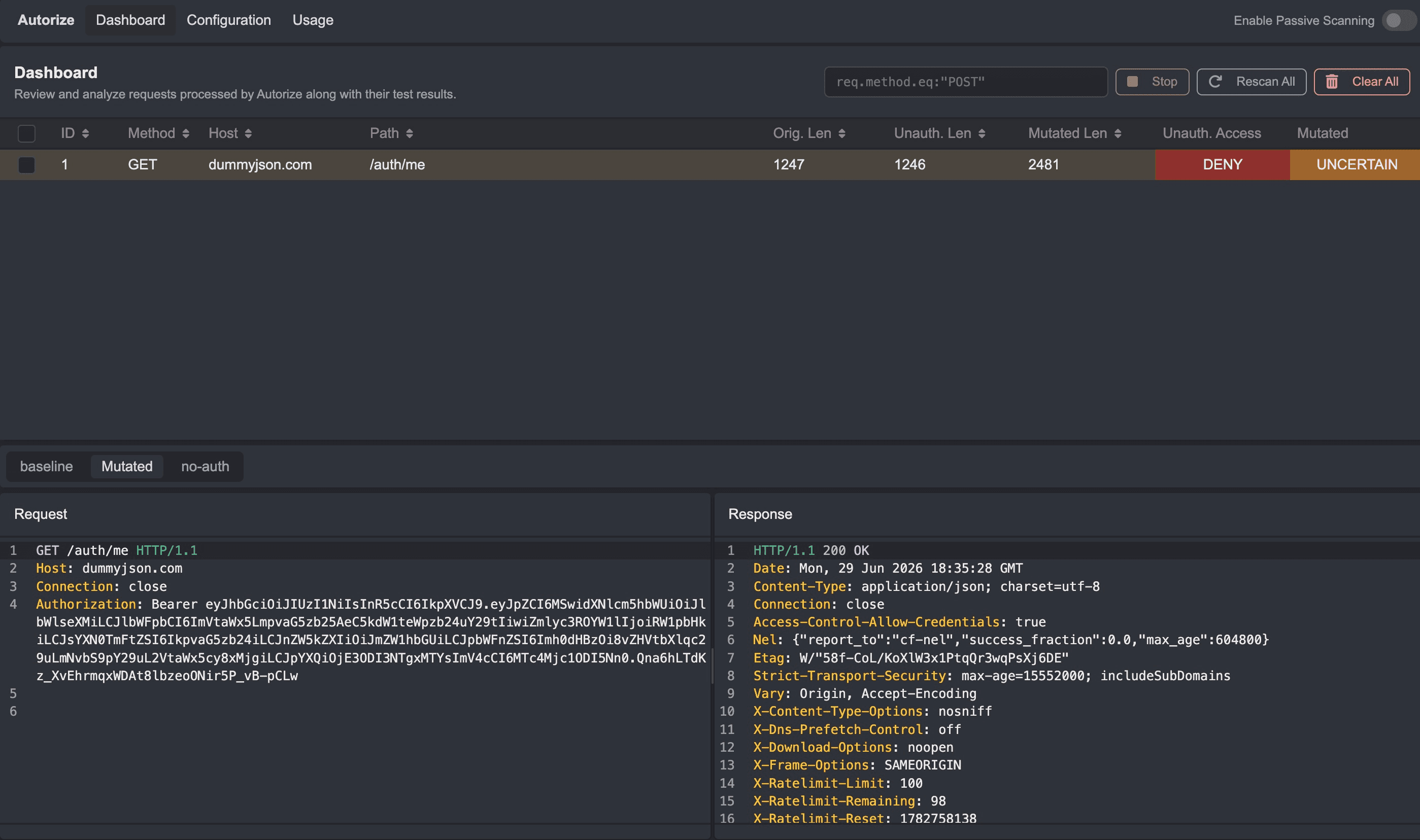
In the Dashboard tab, click on the Rescan All button to test the request again.
Viewing the Mutated request, you will notice the Authorization header is constantly updated with a valid accessToken value.
Now, even after the original token has expired, requests to the /auth/me endpoint will return 200 OK responses with sensitive user data.
This configuration method can be adapted to the authentication flow of your target application for continuous testing via Autorize.